Waterpark Simulator Character Creation
Version 1.0 added cosmetic customization for skin, hair, body shape and clothing with multiple save slots.
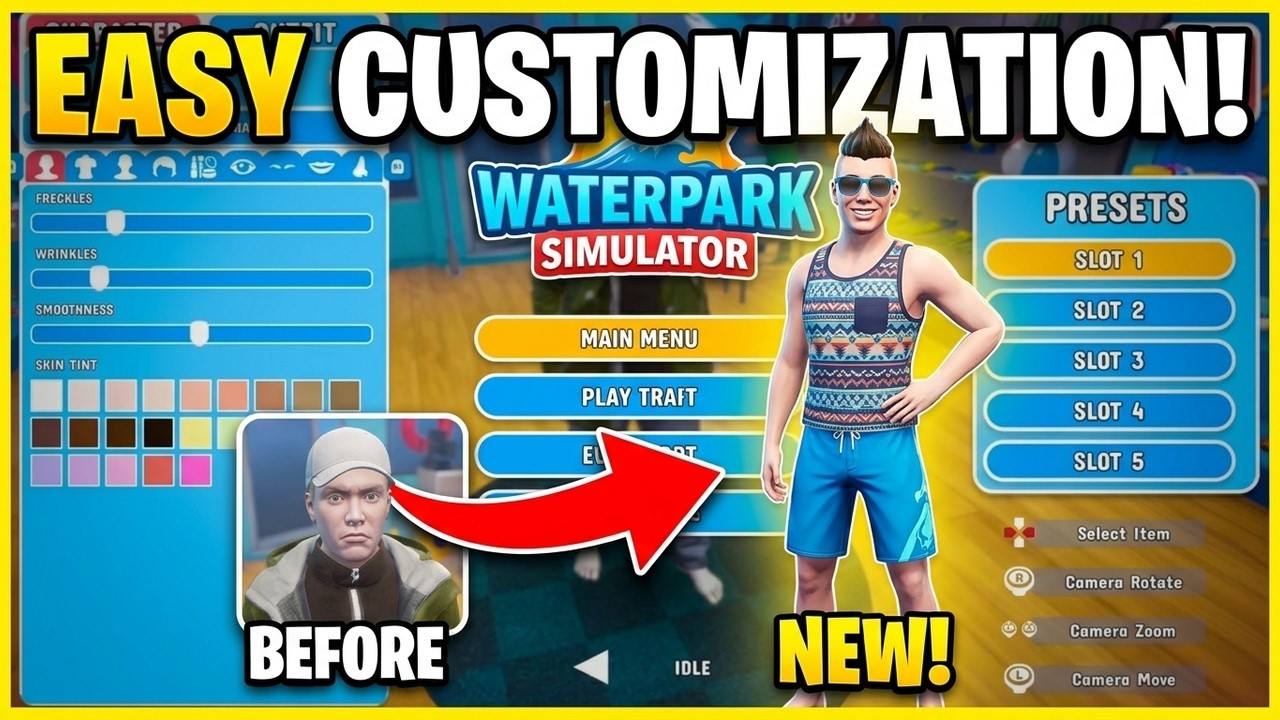
Open character customization from the supported menu, choose skin and facial details, hair style and colour, body sliders and clothing, then save the look to a preset slot. The choices are cosmetic and are especially useful for telling co-op players apart.
What to do
Create a simple baseline first, save it, then adjust one group at a time so you do not lose a look you like. Official material confirms multiple preset slots and the “Fresh Look” achievement for using customization.
What the sources support
The 1.0 feature list supports skin, hair, body and clothing customization. Several secondary sources show up to five slots, but official wording says only “multiple,” so five is not treated as a guaranteed limit.
Version notes and limits
Current beard and facial-hair options were not verified in the source set. Check the live editor rather than assuming they are present.
This article uses the supplied research as its factual boundary. Patch-sensitive details are dated or marked as unconfirmed.
Waterpark Simulator
Version 1.0 added cosmetic customization for skin, hair, body shape and clothing with multiple save slots.